
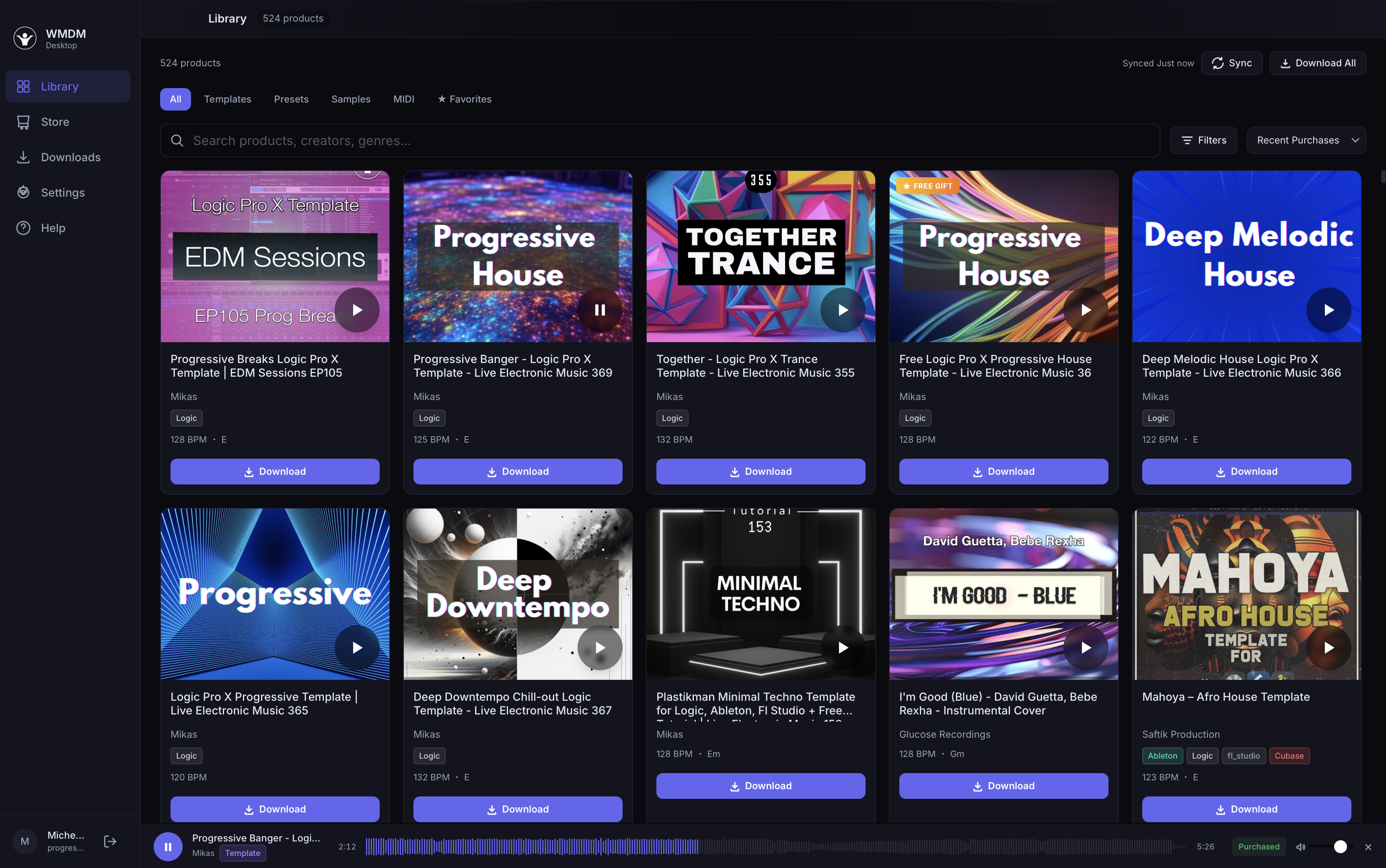
Your library.
Inside your DAW.
Download the WMDM app for Mac or Windows. Templates land in Logic, Ableton, Cubase, FL Studio, Bitwig, and Studio One. The Mac installer now includes the WMDM Bridge plugin — browse and drag samples right inside your DAW.
Already have WMDM purchases? Sign in and your entire library is waiting.
Three steps. That's it.
No manual file management. No finding the right folder. Just music.
Buy on any WMDM store
Purchase templates, presets, or samples from any of our 7 stores. Or use your existing purchases.
Hit download in the app
One click. The app downloads, extracts, and places every file exactly where it needs to go.
Open your DAW
Templates appear in your template chooser. Presets show up in your synth browser. Done.
Audio Preview
Stream demo tracks with waveform visualization before you download. Spacebar to play/pause, arrow keys to skip.
Plugin Scanner
Scans your AU, VST3, VST, and CLAP plugins. Shows which WMDM products are compatible with what you already have installed.
Built-in Store
Browse the full WMDM catalog, preview, and buy without leaving the app. Your purchases appear in the library instantly.
All 7 Stores. One Library.
Purchases from wemakedancemusic.com, logictemplates.com, abletontemplates.net, cubasetemplates.com, flstudiotemplates.com, wmdm.io, and progressivegrooves.com — all unified in one library. Sign in once, see everything you own.
Download Manager
Queue multiple downloads. Pause, resume, retry. 3 concurrent downloads with progress tracking, speed, and ETA.
How WMDM stacks up
| WMDM | Splice | Loopcloud | |
|---|---|---|---|
| VST3/AU plugin browser inside DAW | Yes | No | No |
| DAW template placement | Yes | No | No |
| Synth preset placement | 12 synths | 3 synths | No |
| Full production templates | Yes | No | No |
| App size | ~10 MB | ~150 MB | ~120 MB |
| Requires subscription | No | Yes | Yes |
| One-time purchases | Yes | Limited | Limited |
| Offline library access | Yes | Yes | No |
Works with your DAW
Templates placed in the right folder. Open your DAW, they're ready.
6 free starters
land in your library on sign-in
Install the app, sign in, and these drop straight into your DAW's templates folder. No purchase required — perfect to see the auto-placement magic in action.
Driving Melodic House
A full melodic-house starter delivered as Logic Pro, Ableton Live, and FL Studio sessions. Auto-installs to your DAW's template folder.
Raw Hypnotic Techno
A driving hypnotic-techno session in Logic Pro, Ableton Live, and FL Studio. Strong arrangement template ready to flip into your own track.
Progressive House Starter
A full Logic Pro X progressive house project — opens straight from Logic's Template Chooser. The original welcome gift, still free.
Triple Cubase Template
Three production-ready Cubase templates placed directly in your Steinberg User Templates folder. Open Cubase, hit New From Template, ready.
Analog-ish Mastering Chain
A drop-in mastering chain — warmth, glue, and loudness without the analog price tag. Preset-chain ready to load on your master bus.
Analog-ish · Deep House
A deep-house-tuned variant of the analog-ish chain — softer top end, deeper low-mid weight, club-ready loudness target.
Stop managing files.
Start making music.
Free download. The desktop app on Mac and Windows. Mac install includes the Bridge plugin (Windows Bridge coming next).
Windows: "Windows protected your PC" warning? Here's what to do.
Windows shows this warning for software not from large publishers — it's a reputation system, not a virus alert. The WMDM Windows installer is BETA and not yet code-signed; we'll add a Microsoft signing certificate in a future release. For now:
- Run
WMDM_1.1.1_Windows.exeafter download - When you see "Windows protected your PC", click More info
- Then click Run anyway
The macOS installer is signed and notarized by Apple — no warning to bypass on Mac.